

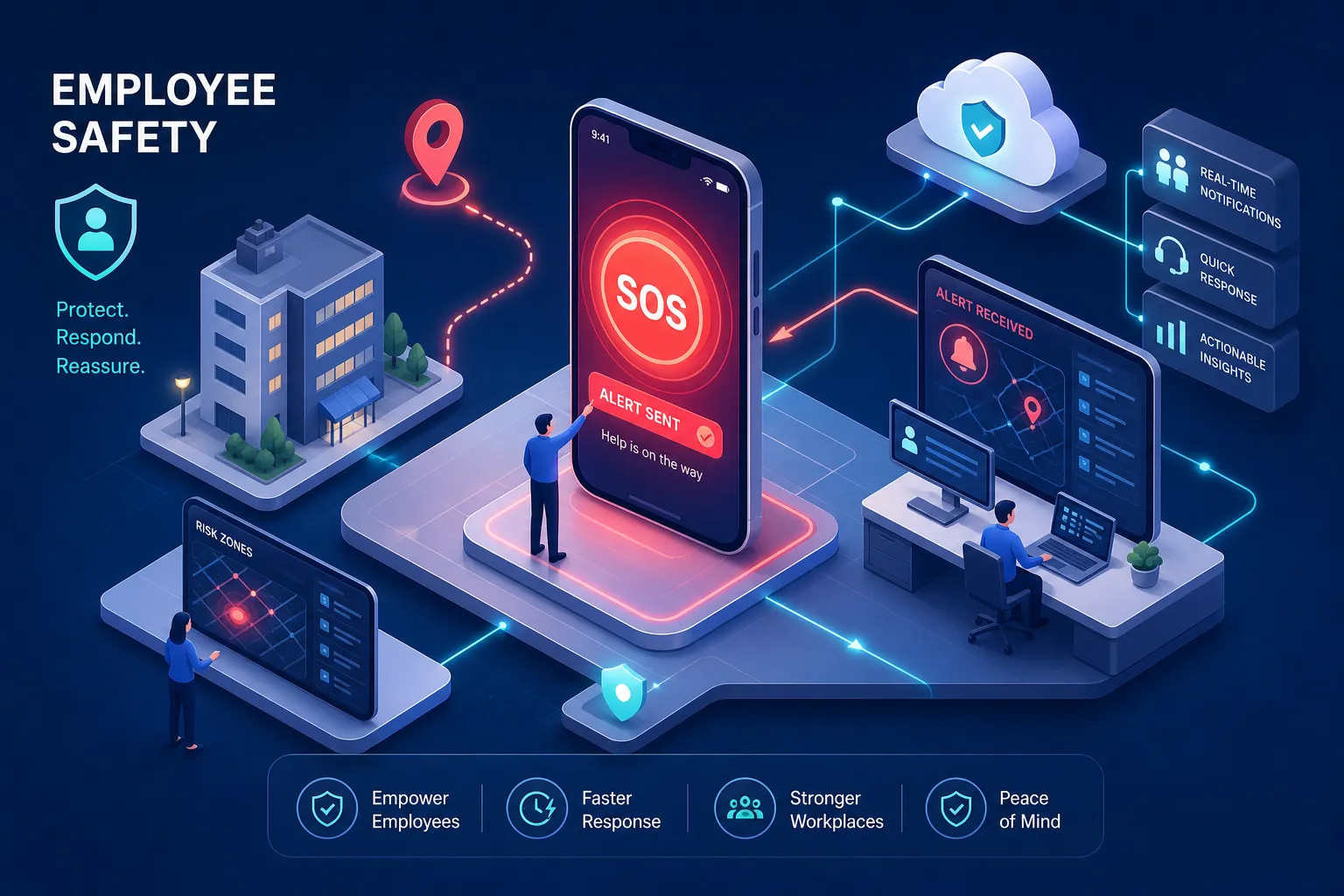
Many employers who believe they've covered safety have a panic button nobody tested or an app that drops out in the basement car park. That's not a safety system. That's a compliance checkbox with a false sense of security attached to it. Choosing the right employee SOS alert system isn't complicated, but choosing the wrong one is expensive, both in liability and in outcomes when something actually goes wrong.
This guide covers what you need to know: the system types available, which features are worth paying for, what Australian WHS law actually requires, and how to build a basic deployment checklist before you commit to a vendor. For teams that travel, we'll reference WanderSafe's SOS Alert as a working example of how organisations are closing the gaps that standard lone worker alarm setups leave open. It'll make more sense in context.
What types of employee SOS alert system are actually available
Mobile SOS apps vs. dedicated hardware devices
The core split is straightforward. App-based systems run on an existing iOS or Android device and activate a personnel alert safety system from a smartphone the worker already carries. Dedicated hardware devices are purpose-built: wearable panic buttons, smart badges, lone worker alarms worn on the wrist or clipped to a belt. Both work. The question is which one matches your environment.
Apps are cheaper and faster to deploy. For a mobile workforce with reliable phone access and good signal coverage, they're often sufficient. Dedicated devices make more sense in high-risk environments where a worker can't safely reach their phone, or where the reliability of a single device matters more than convenience. A cleaner working alone in a hotel basement and a field technician at a remote industrial site have different needs. Match the tool to the scenario, not to what's easiest to procure.
Man-down devices, mass notification systems, and satellite options
The next tier covers three distinct categories. Man-down devices use fall detection and immobility triggers to raise an automatic alert when a worker is incapacitated and can't press anything. Mass notification systems alert entire teams simultaneously through SMS, voice, email, and push notifications. Satellite-enabled devices are for workers in areas where mobile coverage doesn't exist.
Not every organisation needs all three. A man-down device is genuinely necessary for workers operating alone in physical environments where a fall or medical event is a realistic scenario. Mass notification belongs in organisations with large distributed workforces or campus environments. Satellite is for remote work, not CBD offices. Buy what the risk warrants, not what the vendor bundled together.
Features worth paying for in an employee SOS alert system
GPS tracking, silent alarms, and fall detection
Live GPS location sharing matters when emergency responders need to find someone quickly. Emergency medicine data consistently shows that each additional minute of response delay reduces survival outcomes, so removing guesswork about a worker's location has measurable value. That said, GPS has real limitations: indoor environments, basement car parks, and plant rooms all create signal dead zones where location data becomes unreliable or disappears entirely.
Silent alarm activation is one of the features employers most often underestimate. In situations where triggering a visible panic button creates additional risk for the worker, a discreet gesture-based or covert activation matters. Fall detection and automatic man-down escalation are worth paying for when the role involves physical risk and the worker may not be able to activate an alarm manually. For an office administrator who occasionally works late, it's a selling point they'll never use. Know your use case before you pay for features designed for someone else's.
24/7 professional monitoring vs. self-managed contact networks
A duress alarm that only notifies a worker's manager is not equivalent to a system backed by a staffed emergency response centre. If the manager is asleep, on a flight, or in a meeting with their phone on silent, the escalation path is broken before it starts.
24/7 professional monitoring means a trained operator receives the alert and takes action regardless of what time it is or who's available internally. Industry-leading Australian platforms target a median operator pickup time of around seven seconds from alarm activation, a benchmark set by providers such as Duress. For high-risk roles, that's the standard to aim for. For lower-risk scenarios, professionals travelling domestically or employees with a reliable, well-configured contact network, a customisable self-managed system is often more practical and proportionate. The key word is "well-configured." A self-managed system with three escalation contacts who have all agreed to respond is different from one where the worker nominates their partner and hopes for the best.
Why business travel demands more from your employee SOS alert system
Customisable emergency contact networks and the Safety Circle model
Business travel breaks the assumptions built into most standard lone-worker alarm systems. A device designed for a facility worker in Melbourne doesn't account for an employee in an unfamiliar city in Southeast Asia at 11pm local time. The risk profile changes. The support network changes. The response infrastructure changes. Most standard systems aren't built for that.
WanderSafe's SOS Alert uses a Safety Circle model: a pre-configured network of emergency contacts who receive automated notifications the moment an SOS is triggered. The contacts can include local support, travel managers, HR, and on-ground assistance. Automated notification removes the response delay caused by manual escalation chains. When an alert fires at 2am, no one has to wake up, read the message, and then decide who to call next. The escalation path is already defined and already running.
Integrating SOS alerts with HR and organisational response protocols
An employee panic alarm is only as effective as the response protocol behind it. When the alert fires, who acts on it? Who makes the call to dispatch help? How does the event get logged into the organisation's incident management system? These aren't technology questions. They're operational questions that technology has to support.
Effective HR integration looks like this: pre-set escalation paths that don't depend on someone being awake at the right moment, automatic logging of alerts for compliance reporting, and real-time visibility through an enterprise console that doesn't require someone to watch a screen constantly. WanderSafe Workforce delivers exactly that, 24/7 global monitoring across its covered regions as the structural backbone for international deployments. For organisations managing employees across multiple time zones and regions, that kind of infrastructure isn't a premium; our safety intelligence platform is the baseline for the system to actually function to truly meet the needs of the people it is designed to protect.
What it costs to protect your people in Australia?
Device and subscription pricing: what to expect at each tier:
The market breaks into three cost tiers. App-only systems carry near-zero hardware cost and subscription fees typically in the range of $15 to $35 per user per month. Mid-range dedicated devices run approximately $495 to $999 per unit in hardware, with monthly fees around $35 to $77 per user depending on the platform and service tier. Full-featured monitored systems with 24/7 emergency response can add around $5 per user per month for the monitoring layer on some platforms. These figures reflect current market pricing across providers including Duress, INS LifeGuard, and Tunstall, and should be confirmed directly with vendors for your specific configuration.
For small teams with lower-risk profiles, an app-based system is often the right starting point. For organisations with workers in genuinely isolated or high-risk environments, the device and monitoring investment is proportionate to the exposure. Size the spend to the risk, not to what fits the budget line someone set before they'd actually mapped the hazards.
Where the real cost comes from: coverage gaps and response failures:
The cost that pricing tables don't show is a system that fails in the actual work environment. WHS guidance is explicit on this point: if the device depends on mobile signal, test it in the real location, including basements, car parks, plant rooms, stairwells, and loading docks. An SOS button device that doesn't connect in the place a worker is most at risk isn't a safety investment. It's a compliance checkbox that creates false confidence and, in a worst case, delays help when someone is relying on it.
Before committing to any vendor, run the system in the actual environments your workers are in. This is the single most important due-diligence step, and it's the one most organisations skip.
What Australian WHS law actually requires you to have:
Core obligations for lone workers and remote or travelling employees
Under the Work Health and Safety Act 2011, PCBUs must manage the risks of remote and isolated work and provide workers with a reliable means of summoning help. This duty applies whether the employee is working in a basement office in Sydney or travelling internationally for the organisation. Comcare's guidance is direct: the duty of care for workers overseas is identical to the duty owed onshore.
The law doesn't prescribe a specific device or platform. What it requires is that the system actually works in the environment where the risk exists, that workers are trained on it, and that there is a documented escalation path. Tested, recorded, and reviewable. A policy document that describes a system nobody's used isn't compliance; it's paperwork.
What a compliant deployment looks like in practice
A WHS-aligned deployment follows a clear sequence. Map the lone-work tasks and locations. Assess the hazards and communication gaps for each. Select controls proportional to the risk level, whether that's a check-in app, an SOS button, a man-down alarm, or a layered combination. Test the system in the real environment before rollout. Train workers and the people responsible for responding. Review the system after any incident, near-miss, or workplace change.
The documentation regulators expect includes the risk assessment, the system specification, coverage test results, the monitoring and escalation procedure, training records, and an audit trail showing ongoing review. It's not a heavy lift if you build it in from the start. It becomes a significant problem if you're assembling it after something goes wrong.
How to shortlist and deploy the right employee SOS alert system
The evaluation questions that matter most
When assessing vendors, the following questions cut through the feature-list noise:
- Does the system work where your people actually are, including signal-weak or remote locations?
- Who gets notified when an alert fires, and what happens if that person doesn't respond?
- How is the escalation path configured, and can you customise it for different roles or locations?
- What does the monitoring arrangement actually cover?
- Can the platform generate a compliance-ready incident report?
- Does the system cover your highest-risk scenario, not just the average one?
If a vendor can't answer those questions clearly, that's the answer.
A basic deployment and compliance checklist:
Use this as your minimum viable deployment standard before any system goes live:
- Map every role, shift pattern, and location that involves lone work or isolation
- Match the system type to the risk level for each scenario
- Test coverage in the actual work environments, including signal-weak areas
- Configure and document the escalation path, including out-of-hours contacts
- Train workers on activation, and train responders on what to do when an alert arrives
- Document the full system: risk assessment, configuration, test results, training records
- Schedule regular reviews: at minimum annually, and after any incident or workplace change
The bottom line on employee SOS alert systems
No all employee SOS programs are created equal. WanderSafe Workforce Safety Intelligence ecosystem is designed to provide an optimal outcome. We Zag. We offer situation awareness inside the WanderSafe mobile application. The WanderSafe Beacon is award winning hardware device with powerful features to help prevent an incident before it becomes an SOS.
An employee SOS alert system is only worth what it can actually do when something goes wrong. The right system matches the work environment, has a clear response path behind it, and is tested before anyone relies on it. Those three conditions sound simple. Most failed implementations broke on one of them.
For teams that travel, the standard office-based lone worker alarm toolkit often falls short. Business travel needs customisable contact networks, global monitoring, and HR integration that functions across time zones. WanderSafe was built for exactly that gap, combining an accessible personal safety app with an enterprise-grade workplace emergency alert system that gives HR real-time visibility and auditable incident records across its global coverage network.
The employer who spends an hour mapping their actual risk and matching an employee SOS alert system to it will make a far better decision than the one who buys based on a feature list. Start with the environment. The system follows from there.
Would you like to know more about how we can make your employer duty of care one of your company's greatest benefits to attracting and retaining top talent who expect the best tools on the market that can ensure they make it home from work?
Book an obligation-free conversation with one of our WanderSafe Workplace team members.
Stay safe. Stay informed. Stay connected.